Less clicking. More medicine.

Visqaro is an electronic health record built by a practicing physician for clinicians who'd rather see patients than fight software.

Request early access
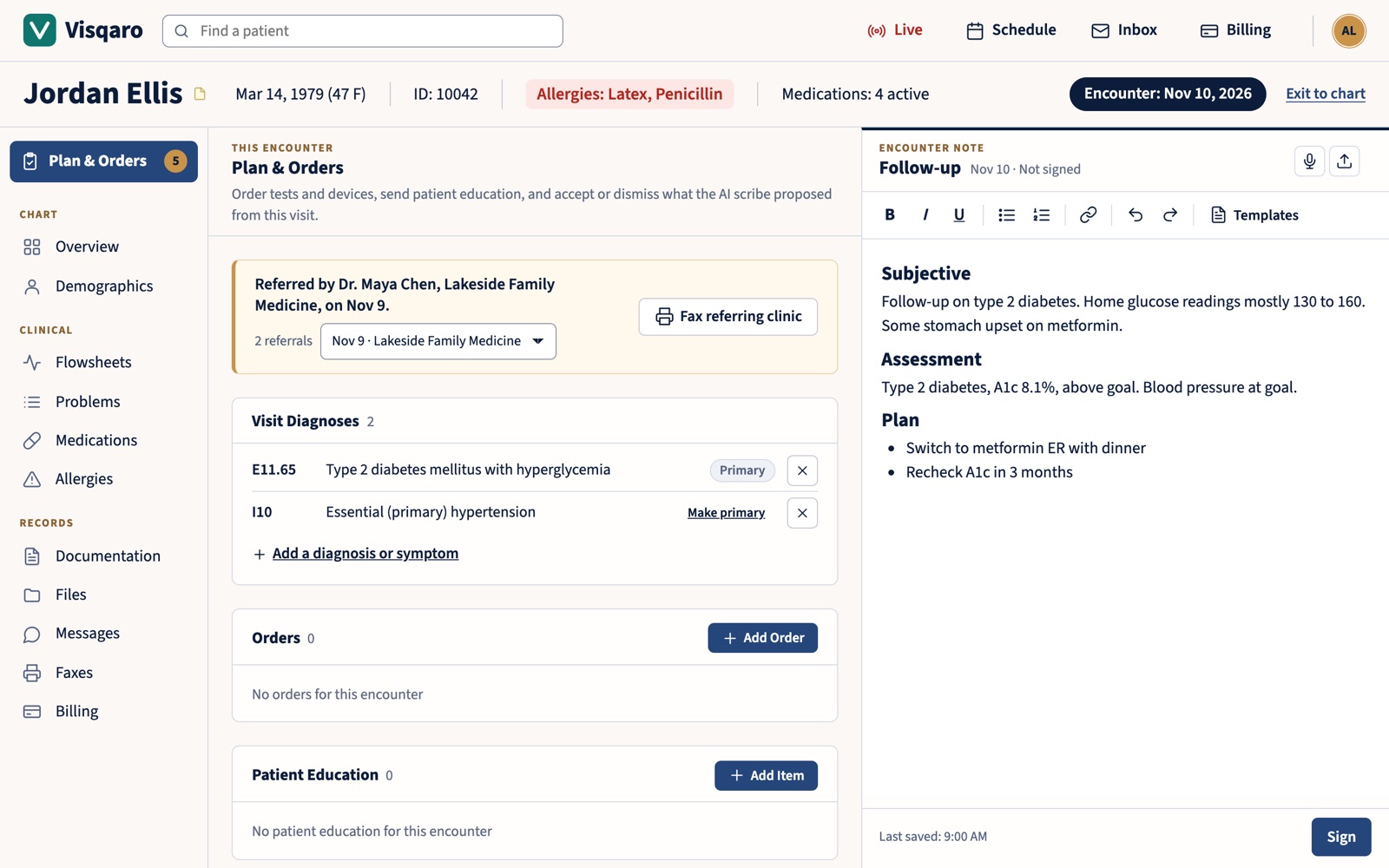
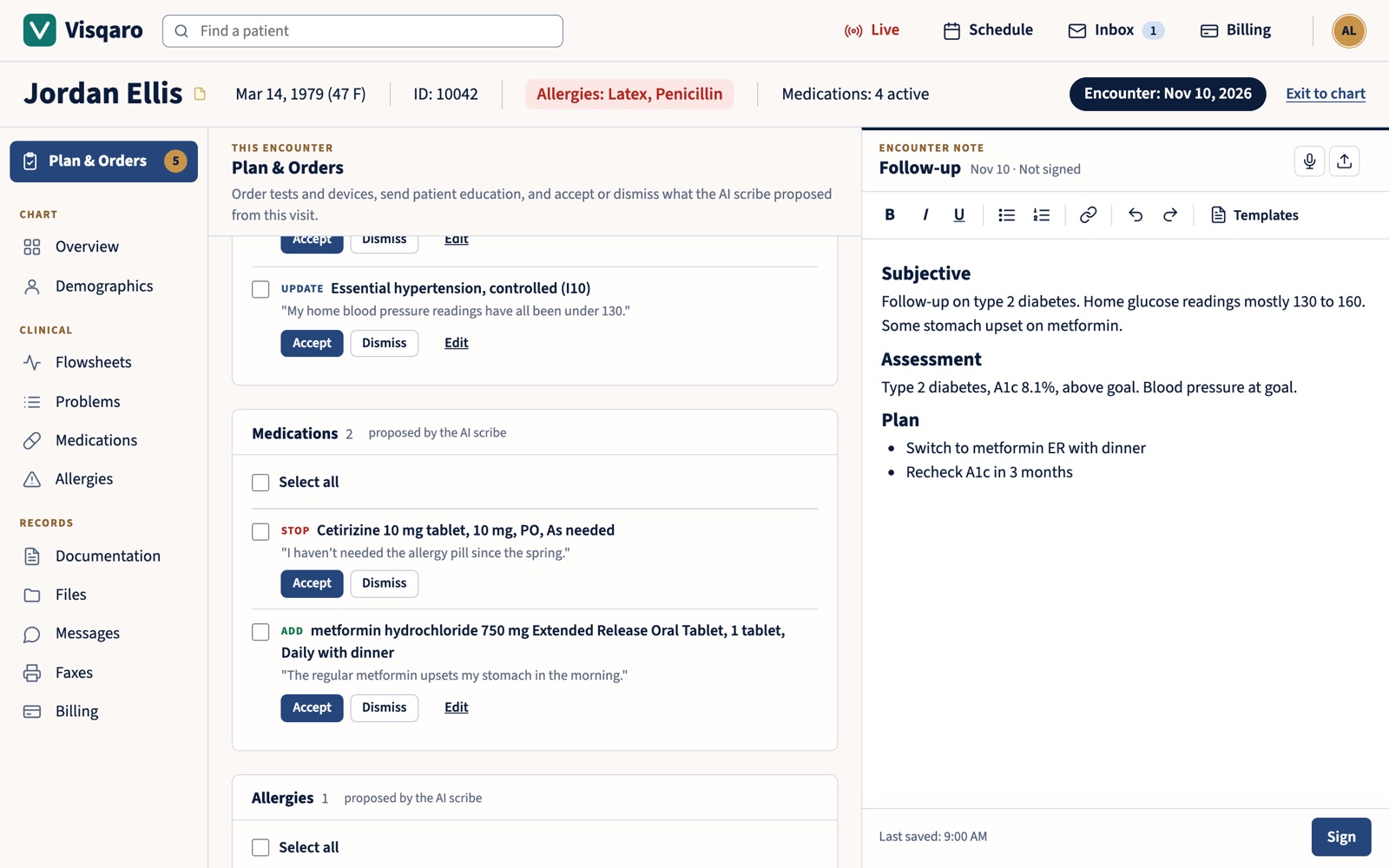
Visqaro encounter mode: the patient banner with allergies on top, Plan and Orders in the middle, and the encounter note open on the right
Encounter mode: plan and orders on the left, the note on the right. Synthetic patient.

Clinician-first

Designed around the visit: the chart, the note and the next step stay in view.

Intelligent

An AI scribe drafts proposals from the visit. You accept, edit or dismiss each one.

Simple

Plain labels, one place for orders and follow-up, and support for mobile devices.

Video visits

The video visit runs inside the chart.

See the patient beside Plan and Orders, with mute, camera, screen sharing and device controls, a chat tab, and the AI scribe recording as you talk. Send the patient to the waiting room or end the visit without leaving the chart.
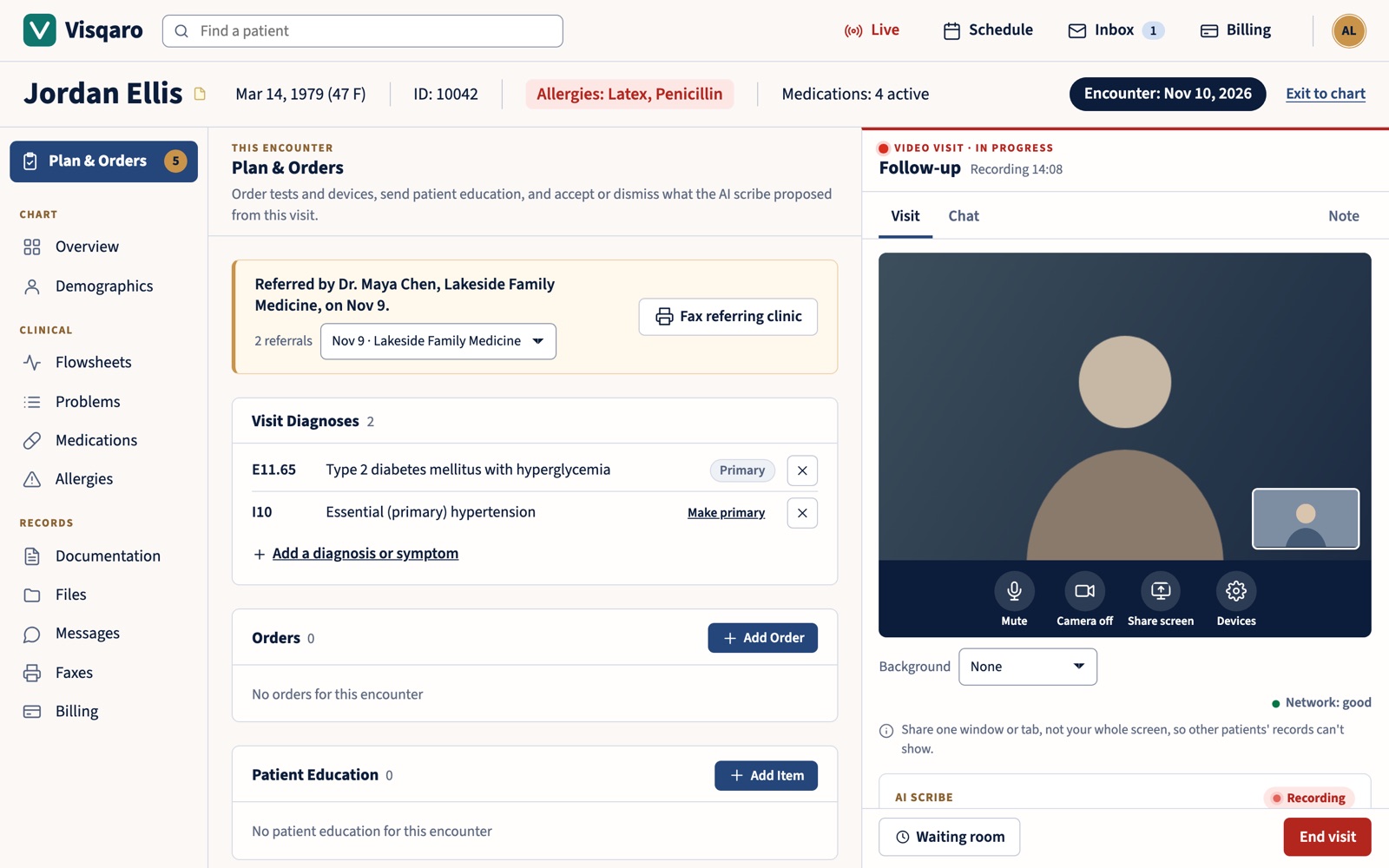
A video visit in progress inside the chart: the patient on video with mute, camera, share screen and device controls, the AI scribe recording, and Plan and Orders alongside
A live video visit, inside the chart. Synthetic patient.

Diagnoses and orders

Diagnoses, orders and education in one place.

See who referred the patient, set the visit diagnoses and pick the primary one, then add orders and patient education, all from the same Plan and Orders page.

Plan and Orders page with the referral banner, visit diagnoses with a primary diagnosis, and Orders and Patient Education cards
Diagnoses, orders and education on one page.

AI scribe proposals

It proposes. You decide.

Proposed problem and medication changes appear with the patient's own words quoted next to each one. Accept or dismiss each one, edit where offered, or select several at once.

Plan and orders panel listing AI scribe proposals for medications with Accept, Dismiss and Edit buttons and a supporting quote
Each proposal shows the quote it came from.

Files and documentation

Notes and files, organised.

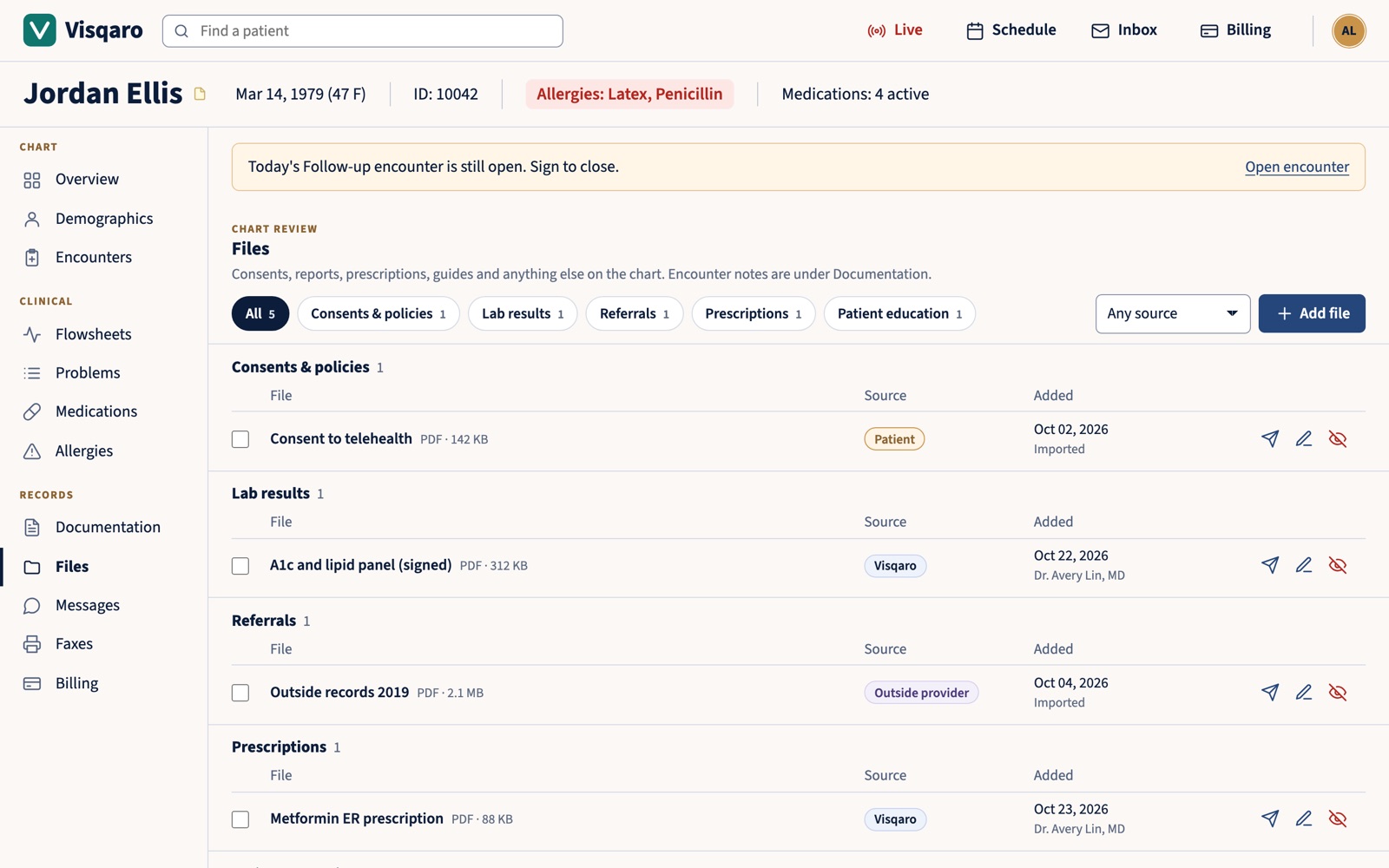
Encounter notes are listed under Documentation with draft and signed status. Files are grouped by type, such as consents, studies, referrals and prescriptions, with the source of each shown and filters to narrow the list.

Files page grouping chart files into categories with source labels, dates and action icons
Files grouped by category, with the source shown.

Medications, allergies, problems

The clinical basics, kept tidy.

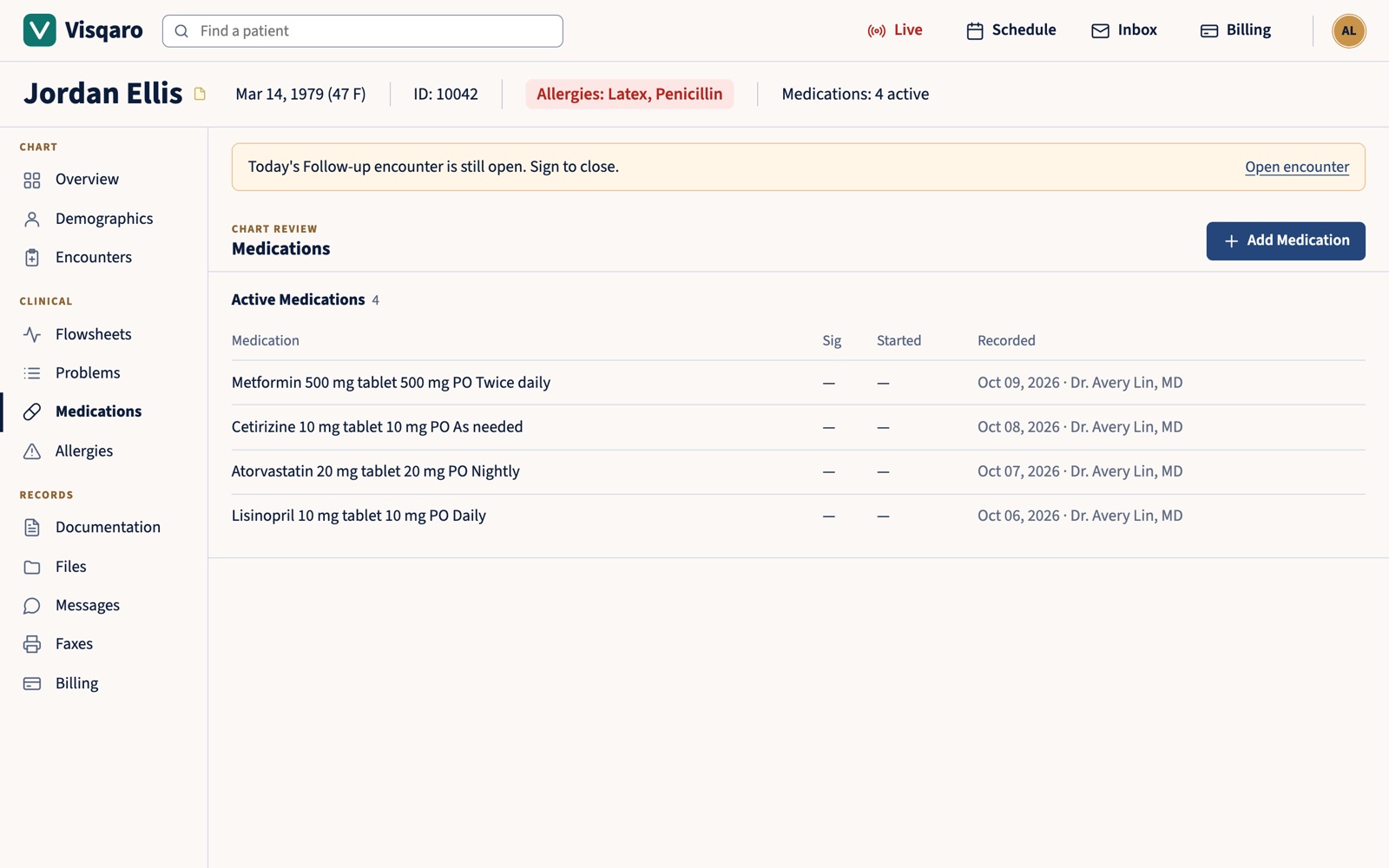
Active medications have their own page with an Add button close at hand, and problems and allergies are one click away in the chart menu. Allergies stay in red in the banner so they are never out of sight.

Medications page with a table of four active medications and an Add Medication button
Active medications. Synthetic data.

Demographics

Contact details, pharmacy and more.

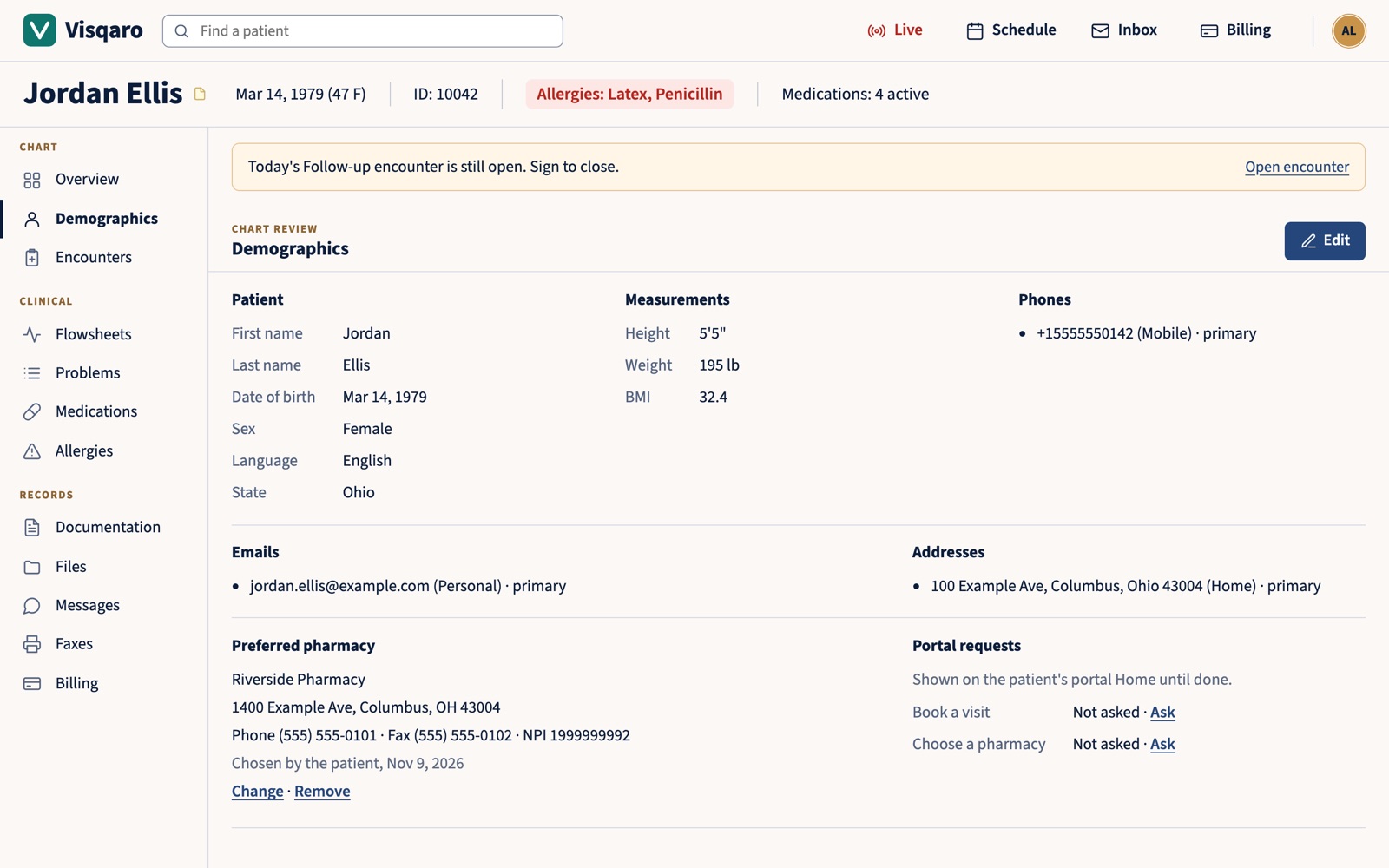
Demographics, measurements, phones, emails, addresses and the preferred pharmacy sit on one readable page.

Demographics page with patient details, measurements, phone, email, address and preferred pharmacy
Demographics and preferred pharmacy. Synthetic data.

Scheduling

A provider schedule that stays out of the way.

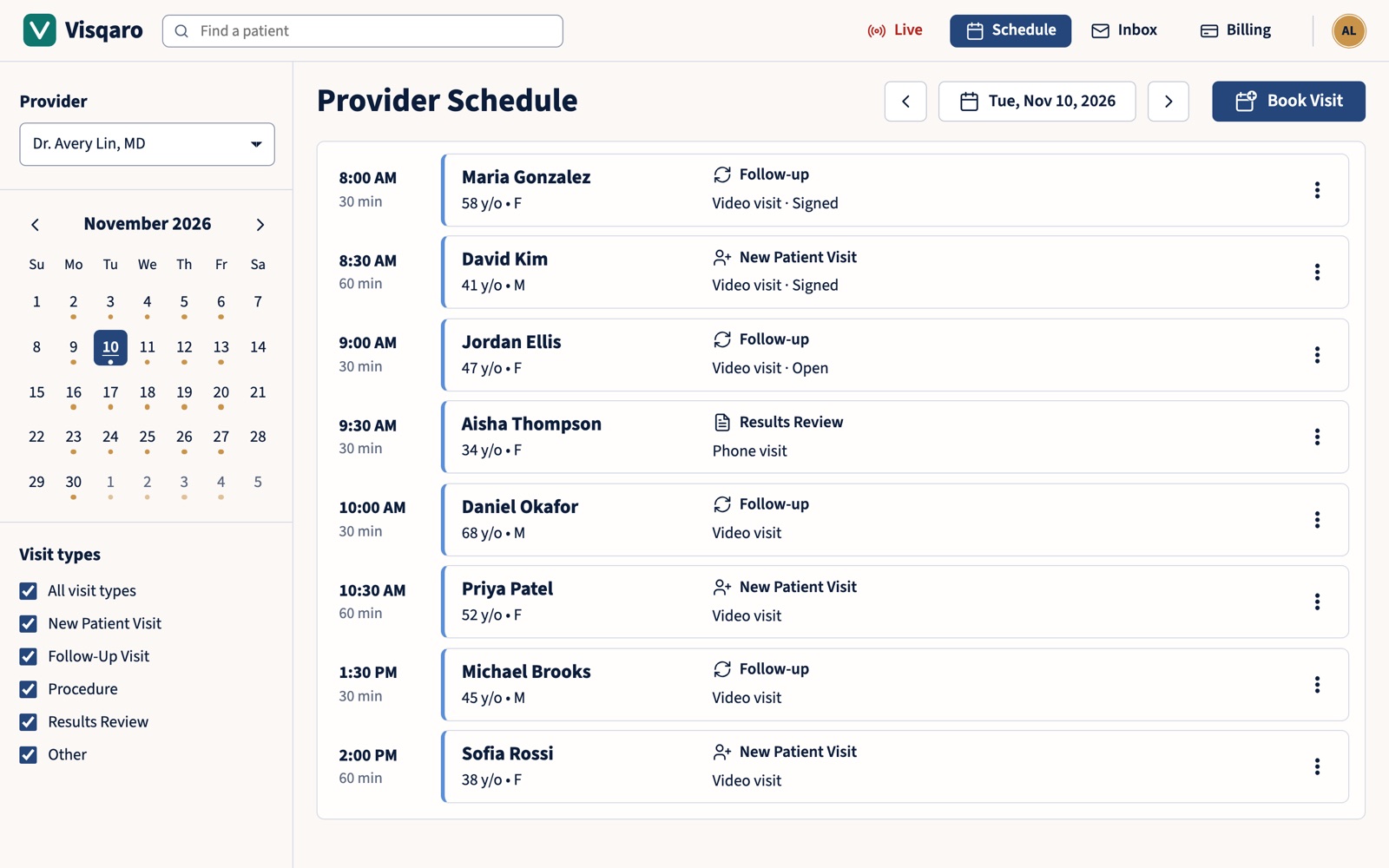
Pick a provider, pick a day from the calendar, and see the visits with type, length and status. Filter by visit type, or book a visit from the top right.

Provider schedule with a month calendar, visit type filters and a single scheduled video follow-up visit
The provider schedule.

Inbox and messages

Messages next to the chart.

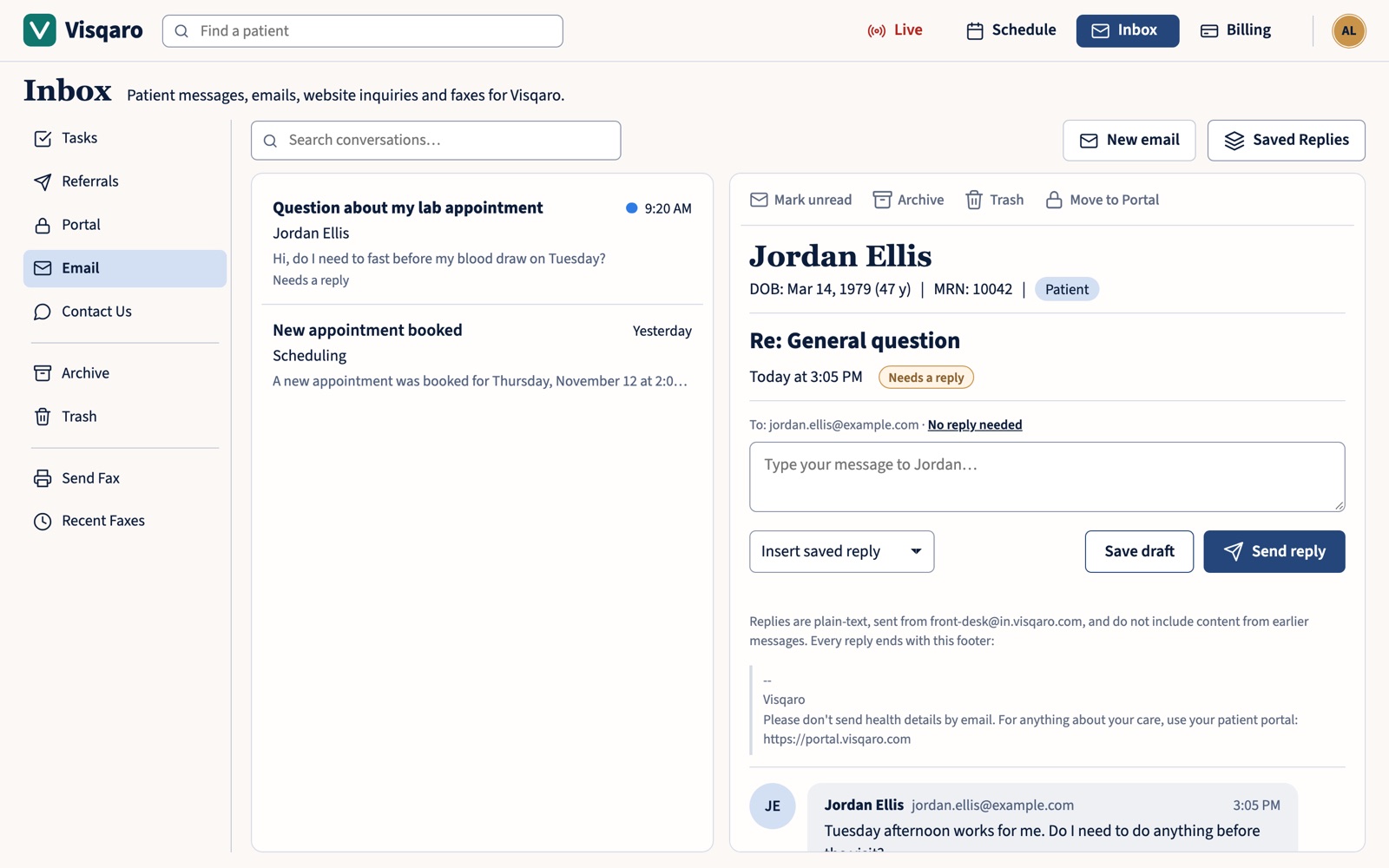
Patient messages, emails and website inquiries live in one inbox. Open a conversation to see who it is from, then reply, save a draft or insert a saved reply.

Inbox with a list of conversations and an open message thread with a reply box, Save draft and Send reply buttons
Inbox with reply tools.

Works on iPhone Duo

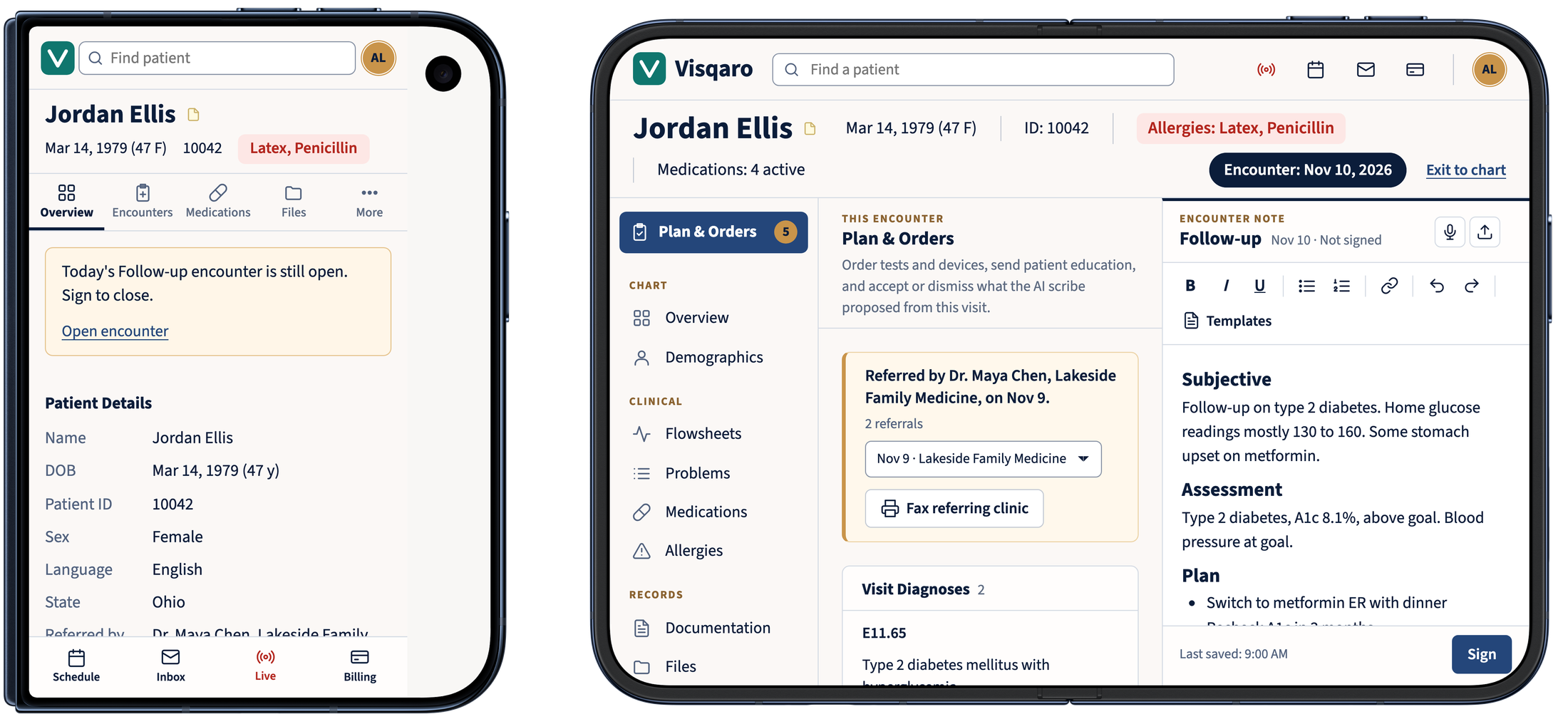
Closed for a quick check. Open for the whole visit.

On the front screen the chart sections become a scrolling tab bar and the main pages sit in a bottom bar. Unfold it and the note sits beside Plan and Orders.

Visqaro on iPhone Duo: the chart overview on the front screen, and encounter mode with the note beside Plan and Orders on the unfolded inner display
On iPhone Duo: quick chart checks on the front screen, the full encounter workspace when you unfold it.

Pricing

Simple subscription pricing.

Now accepting early-access practices.

Ready to see fewer clicks?

Tell us about your practice and we'll be in touch.

Request early access